TinkIT
From your first prompt to your first real product.
Play with it, right here.
A working demo with sample data. Nothing here touches a real system.
A course you play, with Tink beside you
A small working copy of TinkIT. Tell Tink what you want to build, follow your path through the 22 levels, take one real lesson with a safe Git terminal, then explore the system map and the kits. Sample progress; nothing is saved.
The wizard · question 1 of 6
What do you want to bring to life?
Web App Kit path · sample progress
Build a data-driven web application with accounts, permissions, files, credentials, and production operations.
Level 0 · done
Map of the digital world
Understand what you are building before writing any code.
- An app is a small city, not one screen 9 min
- A click becomes a request, not magic 11 min
- One codebase lives in several worlds 12 min
Level 1 · done
AI for work and building
Chat assistants and coding agents, context, tokens, and reviewing what AI changed.
- AI is a very fast teammate with no embarrassment 9 min
- A chat gives advice; an agent can pick up the tools 10 min
- The five stops between an idea and a merge 16 min
- Choose the seat, not the logo 12 min
Level 2 · done
Computer, terminal, and project
Files, paths, the terminal, packages, and why latest is not always ready.
- The terminal is a room you stand in 7 min
- The recipe, the kitchen, and the delivered ingredients 10 min
- Latest is a label, not a safety certificate 12 min
Level 3 · in progress
Git and GitHub
Commits, branches, pull requests, and never committing a secret.
- Your first commit · next 12 min
- A branch is a safe alternate future 20 min
- API keys: connect a service without giving away its keys 18 min
Level 4 · in your path
Web fundamentals
HTML, CSS, JavaScript and TypeScript, explained through one request.
- HTML tells the browser what a thing is 10 min
- Layout is a set of rules, not one screenshot 11 min
- JavaScript connects events to changing state 11 min
- A form is a conversation with two checkpoints 10 min
Level 5 · in your path
Vite, Next.js, and frameworks
Vite is not the equivalent of Next.js. Learn what each one does.
- Vite starts the workshop; Next.js designs the building 13 min
- Put the boundary where interactivity begins 13 min
Level 6 · in your path
React, Tailwind, and real frontend
UI as a function of state, design systems, and every empty or broken screen.
- React redraws the view from state 12 min
- Utility classes still need a design system 11 min
- The empty, slow, broken screen is part of the product 13 min
Level 7 · in your path
Backend, API, and middleware
Routes, business rules, REST, webhooks, queues, and rate limits.
Not in the Web App Kit path. You do not need this for your project yet; it comes with the Web App Kit.
- The backend is where the product keeps its promises 13 min
- HTTP is a contract with a small vocabulary 14 min
- The server needs a door, a guest list, and a bouncer 12 min
Level 8 · in your path
Database
Tables, keys, relations, SQL, migrations, and backups.
Not in the Web App Kit path. You do not need this for your project yet; it comes with the Web App Kit.
- Ask the warehouse a precise question 12 min
- Change the warehouse while customers are inside 11 min
- Choose a backend package or choose only the database 10 min
Level 9 · in your path
Authentication and authorisation
Who are you, and what are you allowed to do? Always kept separate.
Not in the Web App Kit path. You do not need this for your project yet; it comes with the Web App Kit.
- Letting people in 9 min
- A session is a key card with an expiry 10 min
- Who is allowed to see this row 10 min
Level 10 · in your path
Storage and files
A database is not file storage: buckets, signed URLs, CDNs, and egress.
Not in the Web App Kit path. You do not need this for your project yet; it comes with the Web App Kit.
- Photos are objects, not database rows 10 min
- Choose the storage bill before the storage logo 11 min
- A safe upload is a temporary door with a measuring frame 11 min
Level 11 · in your path
Hosting, servers, and cloud
Serverless, regions, logs, and when you really need your own server.
- From your laptop to a real address 11 min
- Hosting is where code waits for a request 13 min
- It worked on my machine 12 min
Level 12 · in your path
Domains, DNS, CDN, and email DNS
Registrar, nameservers, DNS records, HTTPS, SPF, DKIM, and DMARC.
- The name people type 11 min
- Bunny puts the warehouse close to the storefront 10 min
Level 13 · not needed yet
Docker, containers, and CI/CD
Images, containers, Compose, GitHub Actions, and safe releases.
Not in the Web App Kit path. You do not need this for your project yet; it comes with the Infrastructure Kit.
- An image is the sealed package; a container is an instance 13 min
- The pipeline turns one commit into one traceable release 13 min
- A VPS gives you a computer and all of its chores 14 min
Level 14 · not needed yet
Mobile
Expo, React Native, Flutter or native: choose before you build.
Not in the Web App Kit path. You do not need this for your project yet; it comes with the Mobile Kit.
- Choose how much of the platform you need to own 13 min
- Expo Go is the lobby; a development build is your app 12 min
- Offline is a data policy, not a switch 14 min
Level 15 · not needed yet
Desktop
PWA, Electron, Tauri, and native desktop apps, with signing and updates.
Not in the Web App Kit path. You do not need this for your project yet; it comes with the Native Bundle.
- A desktop app can be a browser, a webview, or the platform itself 13 min
- SwiftUI describes one Apple interface across many devices 13 min
- Compose turns Android UI into state and functions 13 min
Level 16 · in your path
Transactional and marketing email, deliverability, and consent.
- An email is a product action that leaves your system 13 min
Level 17 · not needed yet
Payments and business logic
Stripe Checkout, subscriptions, webhooks, entitlements, and refunds.
Not in the Web App Kit path. You do not need this for your project yet; it comes with the SaaS Kit.
- Money you never touch 10 min
- A verified event is not completed work 10 min
- A payment is an event; access is a rule 12 min
Level 18 · in your path
Testing, monitoring, and debugging
Tests, Sentry, uptime, and debugging with AI, one cause at a time.
- Tests buy confidence at different distances 13 min
- Debugging is reducing uncertainty one fact at a time 13 min
- Sentry is useful only after the stack trace points home 14 min
Level 19 · in your path
Security
Least privilege, input validation, secret rotation, and backups. Not a bonus.
- Every boundary receives untrusted data 14 min
- Four protections solve four different problems 14 min
- Deleting the secret is not containing the leak 12 min
Level 20 · in your path
Analytics, SEO, and Search Console
Events, funnels, sitemaps, Open Graph, and indexing.
- Measure the journey, not the page counter 13 min
- Search engines need a clear public answer 12 min
Level 21 · in your path
Launch and promotion
Landing page, pricing, communities, ads, and your first real user.
- A launch explains one change to one person 12 min
- Reddit rewards relevance before promotion 13 min
- The first users are a learning system 13 min
Level 3 · Git and GitHub · lesson 1 of 3
Your first commit
Understand the three places your files live, and record a checkpoint without committing your secrets.
The situation
You have been editing files for two days and want a checkpoint you can review later. Git records selected versions locally. It does not automatically upload or back up your computer.
First, tell apart three places: the working folder, the staging area and committed history. Sharing that history comes later.
coffee-tracker/
- index.html
- styles.css
- .envprivate keys
Think of packing a parcel. Your folder is the room, full of things. The staging area is the open box on the table: you put in only what belongs in this parcel. The commit is sealing the box and writing on the lid what is inside.
Three places, not two
Almost everyone is told there are two places, their folder and GitHub. The middle one is why a commit can contain some of your changes and not others, and why git add exists at all.
Two files go into the box with git add index.html styles.css. The .env file stays in the folder.
Practice mission
Turn this folder into a repository and record its first checkpoint, without committing your secrets.
- Repository created
- .env ignored
- index.html and styles.css staged
- Committed with a message
Type a command and press enter. Nothing here touches your computer.
Your folder 3
- .envnew
- index.htmlnew
- styles.cssnew
Staging area 0
Empty
History 0
Empty
Your secret is in history now. Start again and ignore .env before staging.
The mistake almost everyone makes
Committing a .env file with real keys in it.
- Why it happens
- A later deletion does not remove the secret from earlier commits. Anyone who obtained a copy may still possess it, even after a coordinated history clean-up.
- What to do instead
- Add it to
.gitignorebefore staging. If a real key has already been exposed, rotate it at the provider. Removing the file is not enough and never has been.
Revealing it costs the +15 XP bonus.
Use the parcel analogy: list what is lying in the room and what you actually put in the open box. Which of those places does sealing the parcel act on?
What you learned
Edit in the working folder, stage the intended changes, then commit that selection. Check the staged diff and ignore private files early. Commits are local history, not an off-device backup; deleting a leaked secret from the latest version does not revoke it.
- +30 XPbase, for finishing the lesson
- +15 XPbonus: no wrong answers or hints
- First commitmilestone, unlocked by a clean commit in the practice
Press Trace a single request to follow one page load through the stack.
Everything people see and click: pages, buttons, forms. It runs in the browser and asks the API whenever it needs data or wants to save something.
Kits · one-time, one outcome each
Choose what you want to build, not which technology to learn.
Kits stack: the Web App Kit includes the Web Kit, the SaaS Kit includes both, and an upgrade costs only the difference. Every kit starts from the same foundation: AI, the terminal, Git and basic security.
Web KitMake a public website people can open in any browser, on a phone or computer.
What it covers
- AI prompting for a real project
- HTML, CSS and JavaScript, explained simply
- Git and GitHub, commit, push, rollback
- Hosting, domain, DNS and HTTPS
Web App KitMake a website people can sign in to, use as a tool, and save their information in.
What it covers
- Frontend versus backend, API and HTTP
- Database: Supabase versus Neon versus Firebase
- Storage and file upload
- Environment variables, secret keys, Row Level Security
SaaS KitTurn a browser app into a paid product, with customer accounts, checkout and access after payment.
What it covers
- Stripe: checkout, subscriptions, webhooks, entitlements
- Transactional email with Resend, SPF, DKIM and DMARC
- Product analytics, funnels and onboarding
- Pricing, launch, feedback and first customers
Mobile KitBuild an app for iPhone and Android from one shared project, then prepare it for the app stores.
What it covers
- Expo, Expo Go and development builds
- EAS Build, TestFlight, Play Internal Testing
- Push notifications, deep links, offline mode
- Or the Flutter track, with an honest comparison
Native BundleBuild an iPhone or iPad app, or an Android app, using that platform's own tools and interface patterns.
What it covers
- Swift, SwiftUI, Xcode, StoreKit, App Store Connect
- Kotlin, Jetpack Compose, Play Billing, Play Console
- Kotlin Multiplatform: what to share and what to keep native
Infrastructure KitLearn to run an existing app on a server you control, automate releases and recover when things break.
What it covers
- Docker, Compose, images and layers
- VPS, Linux, SSH, Nginx and reverse proxies
- Queues, workers, Redis and cron jobs
- CI/CD, staging, backups and monitoring
Launch KitFind the first users for something you have already built, explain its value and improve your launch.
What it covers
- Positioning, pricing and copywriting
- Product Hunt, Reddit, X, LinkedIn and TikTok
- Google and Meta Ads, UTM and conversion tracking
- Feedback, support and retention
TinkIT CompleteUnlock every learning path. Choose one project now, then explore the other paths when you need them.
What it covers
- Web, Web App and SaaS
- Mobile and Native
- Infrastructure and Launch
- All simulators and challenges
tinkit.eu, as it is today.
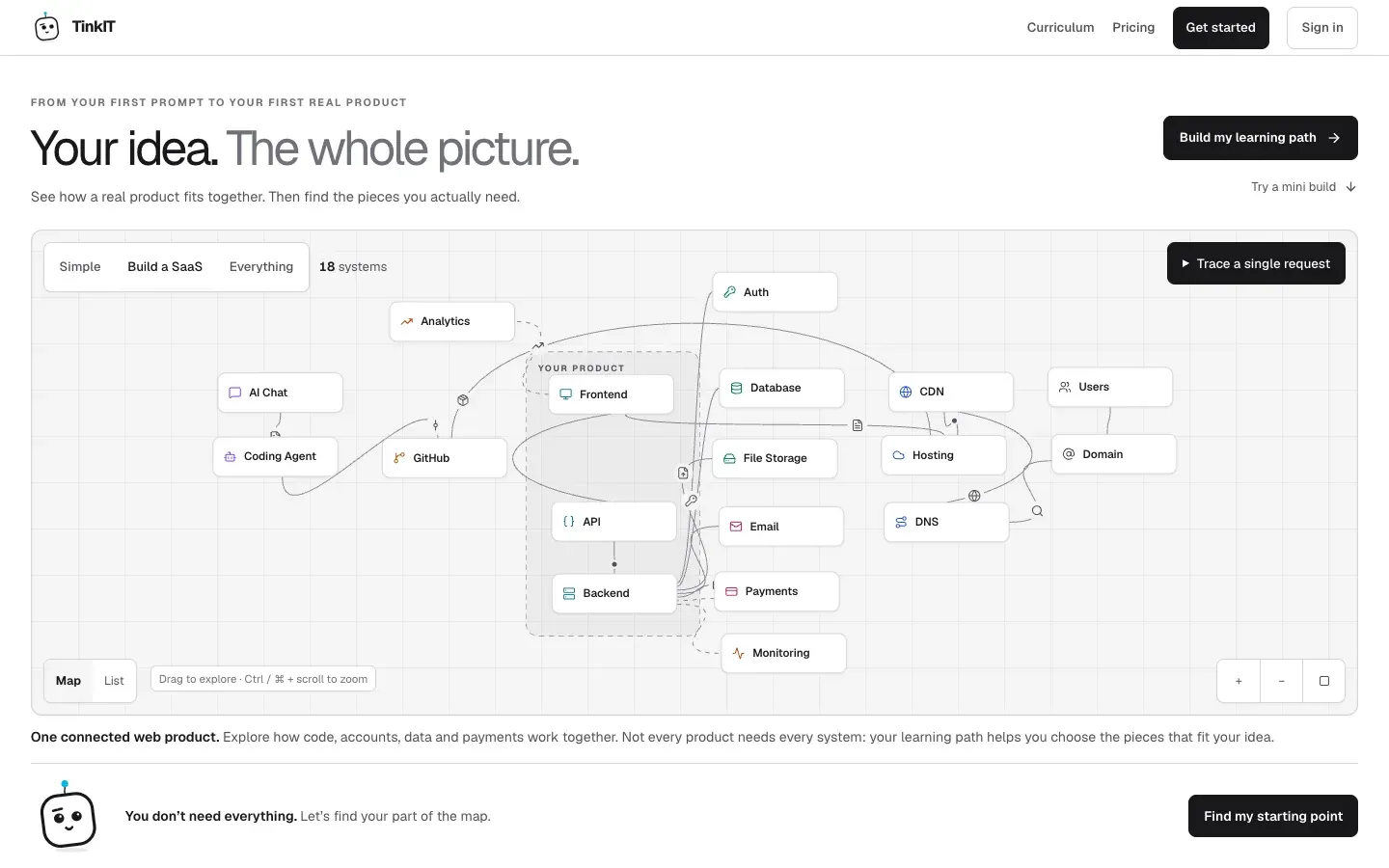
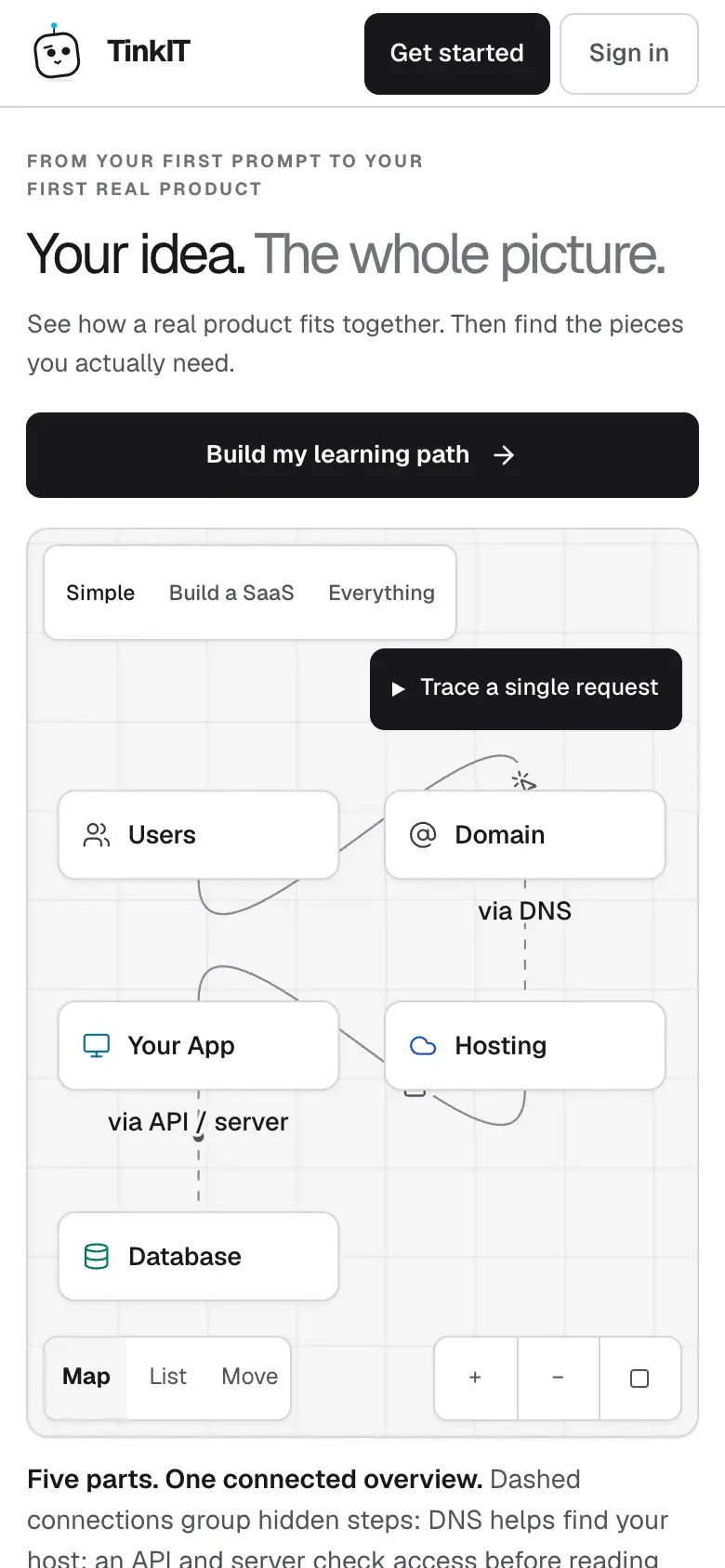
The real website. Switch between desktop and phone, then open it for the full experience.
Overview
- Role
- Founder
- Year
- 2026
- Platforms
- Web
- Status
- Live
TinkIT takes a complete beginner from their first AI prompt to a real, published product. It is not a video course; it is a place to practise.
It starts with an interactive map of how a real product fits together. From there, learners follow a personal path of short lessons, each one a small story: the situation, an analogy, a visual, a hands-on try, the typical mistake and a challenge.
Instead of watching, learners practise in safe simulators for the command line, Git, HTTP, DNS, databases, payments and Docker, guided by Tink, the mascot. A short wizard turns what you want to build into an ordered path and a recommended stack.
Each kit is a one-time purchase for one outcome, a public website, an app with accounts or a paid product, and kits stack as you grow.
6 things it does well.
- Interactive map of a real product
- A personal path from a six-question wizard
- Story-based lessons, saved as you go
- Simulators: CLI, Git, HTTP, DNS, databases, payments, Docker
- A 22-level curriculum
- One-time kits for one outcome each
Built with
- Next.js
- React
- TypeScript
- Supabase
- Stripe
- Vercel