Back to HomeWindows Diagnostic Tool
Device Info
Local-first WPF utility for corporate laptops that checks VPN, domain, hardware, network, Defender, and support readiness without admin rights.
10 technologies
12 features
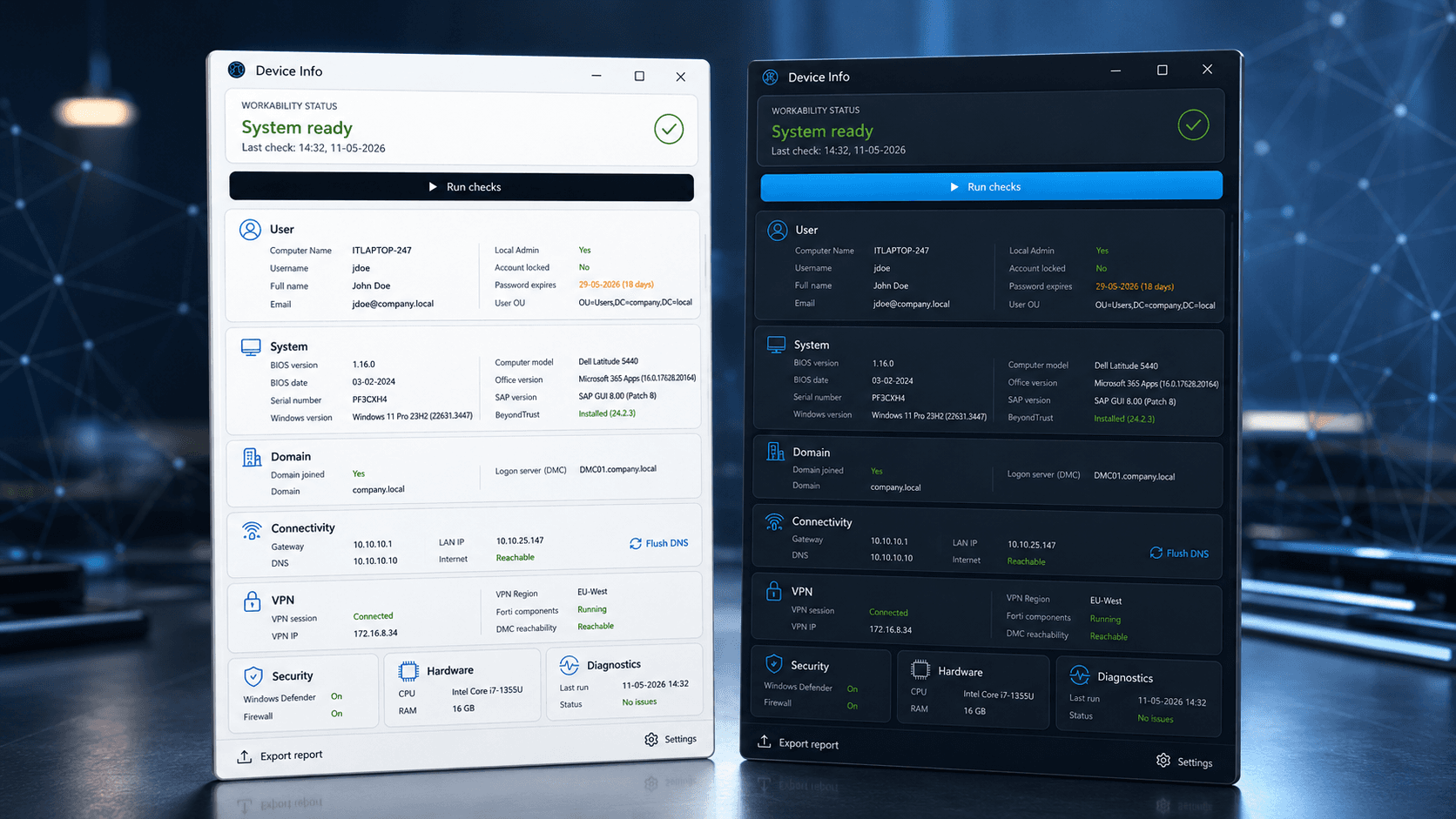
About this project
Device Info is a standalone Windows utility for corporate laptops and servers. It runs locally without admin rights and helps users or IT support verify whether a machine is ready for work.
It checks domain identity, Active Directory status, VPN tunnel state, internal resource reachability, hardware health, network quality, Windows Defender status, and server-specific diagnostics.
Instead of asking users to manually run commands, check adapters, copy IPs, or describe system state, the app centralizes key troubleshooting signals into one interface and can export a formatted report or JSON.
Key features
Identity & VPN
- Active Directory connection, password expiry, lockout status, OU and local admin detection
- FortiClient VPN adapter detection, tunnel status, internal resource reachability, VPN region/hub
Hardware & system
- CPU, RAM, disk, Secure Boot, battery cycles and wear level
- MAC addresses, Windows/Office/SAP versions, Group Policy last update
- Windows Server: critical events, update history, pending reboot, active sessions
Network & security
- LAN IP, gateway reachability (ICMP with TCP 443 fallback), DNS resolution, Wi-Fi signal
- Integrated Fast.com bandwidth test
- Windows Defender: real-time protection, antivirus status, signature updates, last scan
Export & UX
- Copy formatted report to clipboard or export JSON to Desktop
- 30-day diagnostics check history
- Dark, light and system theme support with tray toggle
- Runs entirely in user context - no UAC elevation required
Device Info - workability status dashboard with light and dark themes